eServices

eServices
Steps to clear browser cookies.
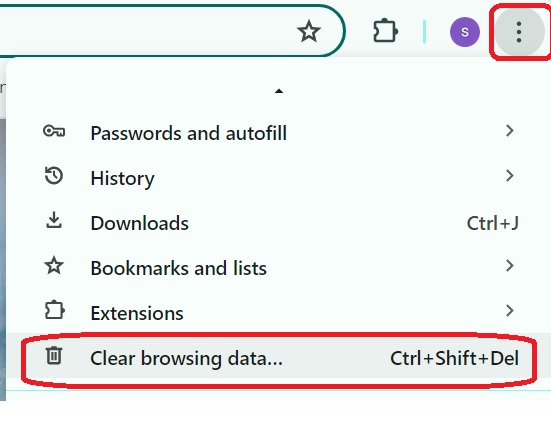
Click on (three dots) top right corner of browser.
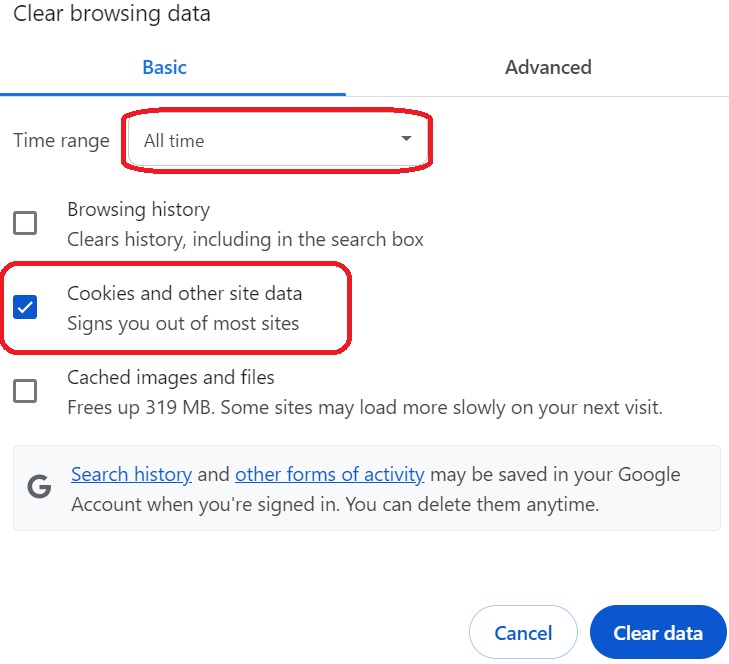
Select “All time” and checked only “cookies and site data” as highlighted, Click on Clear Data.
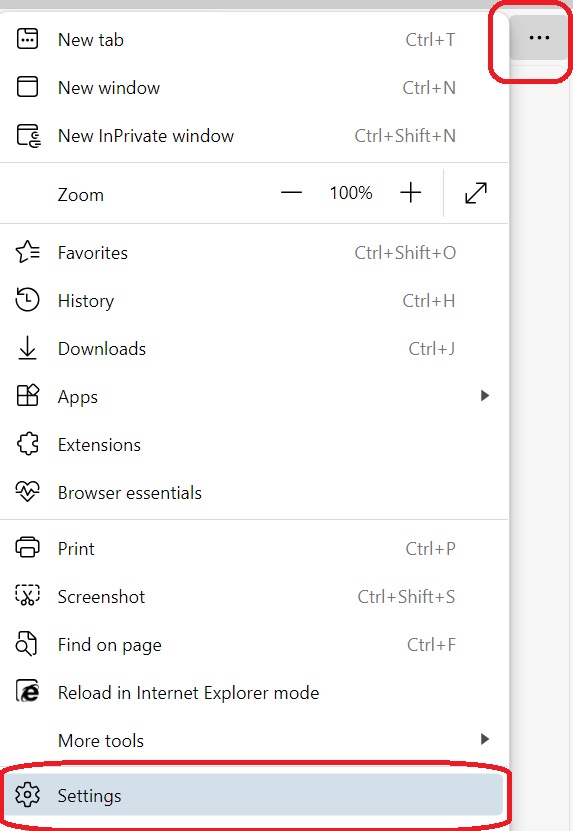
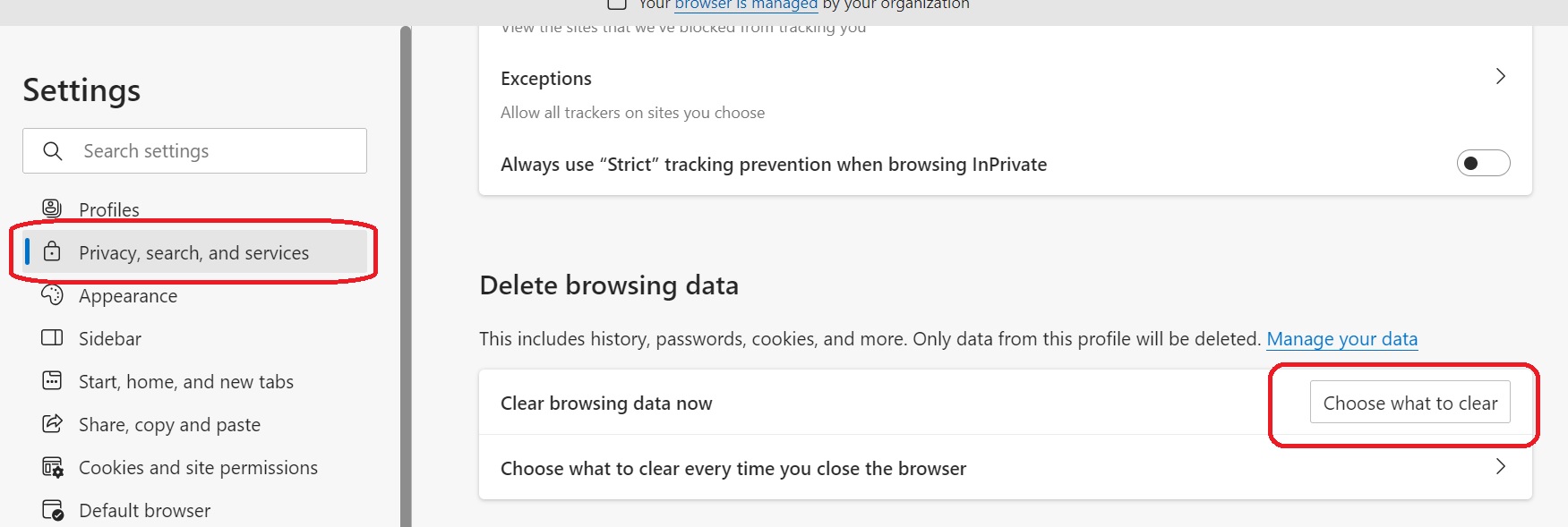
Click on (three dots) top right corner, choose setting.
Click on left site menu Privacy, search, and services option. And choose “ what to clear option”.
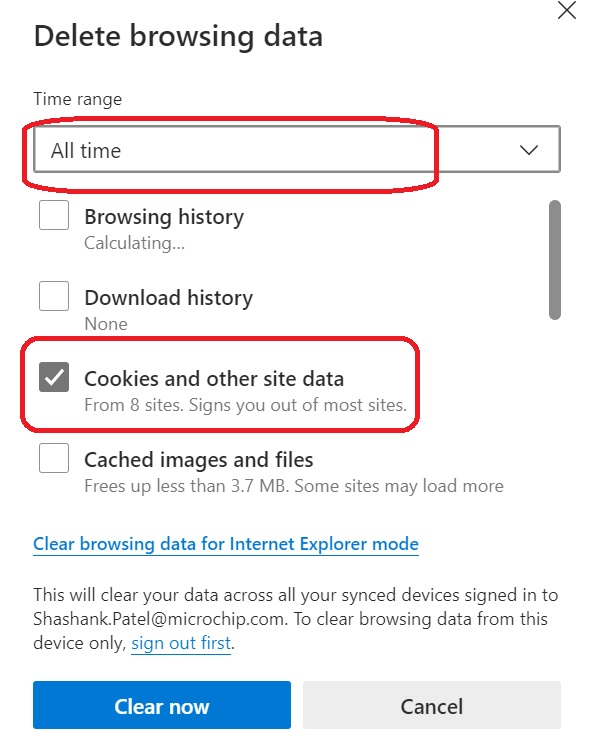
Select “All Time” checked only “Cookies and other site data” as highlighted below image & click on Clear now.